|
Getting your Trinity Audio player ready...
|
AI is integrated into our life. Collectively we are using AI assistance to help us to complete our task faster whether it is writing an email, writing a summary from a document, generating content, solving programming challenges and learning new topics.
A top AI assistant in 2026 is Google Gemini. Developed by Google, it performs exceptional text and image processing, as well as voice and file analysis. Its versatility benefits students, businesses, professionals, and developers.
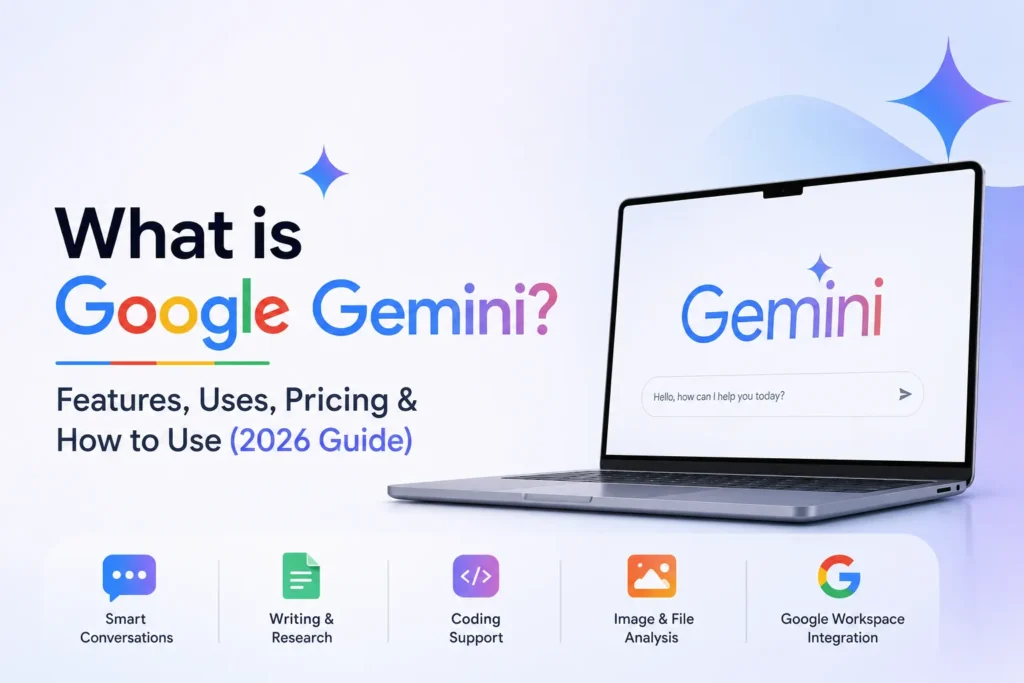
If you have been curious about Google Gemini, the what, how and if you’ll want to make use of this, then you’ve come to the right place. In this comprehensive Guide you’ll learn about the Google Gemini Features, the Gemini Uses and the Gemini Pricing. Also included are tips on how to get started.
What is Google Gemini?
Google Gemini is Google’s AI assistant, running on the Gemini family of AI models. It is capable of text input and output, image input and output, file processing, programming, Q&A and a variety of routine activities.
Unlike chatbots we are used to, Gemini AI is a multimodal system meaning that:
- Text
- Images
- Documents
- Voice
- In many supported experiences, combinations of these inputs
This allows users to ask more natural questions and receive richer, more useful responses.
Who Developed Google Gemini?
Google Gemini was created by Google DeepMind, which is Google’s AI research lab formed by merging DeepMind and Google Brain teams.
The goal behind Gemini is to build AI that can:
- Understand complex information
- Reason across different types of content
- Improve productivity
- Integrate naturally with Google’s products and services
Today, Gemini by Google is integrated into all of Google’s AI systems and can be found on Search, Workspace, Android, or the Gemini app.
How Does Google Gemini Work?
Understanding Gemini doesn’t require a technical background. Here’s a simple explanation.
Artificial Intelligence (AI)
Artificial Intelligence is an area that allows computers to do what normally requires human intelligence. Writing, Summarising, Translating, Question answering are some of these capabilities.
Machine Learning (ML)
The reason machine learning is helpful is because with Gemini, it enables it to identify patterns from a vast collection of data so Gemini can generate useful responses.
Large Language Models (LLMs)
The technology behind Gemini: Gemini is built on large language models, which have been specifically designed to comprehend language, answer questions, provide explanations, and produce text.
Multimodal AI
A great feature is that Gemini has multimodal capabilities. It can read words, but it is also capable of understanding a visual picture or PDF displayed on a kindle document. It can also understand voice input where supported.
Integration with Google Services
Gemini works closely with many Google products, including:
- Gmail
- Google Docs
- Google Drive
- Google Maps
- Google Calendar
- Google Photos (selected features)
- Android devices
This integration helps users complete tasks without constantly switching between apps. Feature availability depends on your plan, device, region, and account type.
Google Gemini Features
Here are the most useful Google Gemini Features in 2026.
Natural Conversations
Ask questions naturally and continue conversations with follow-up prompts.
Writing Assistance
Gemini can help write:
- Blog posts
- Emails
- Reports
- Social media captions
- Product descriptions
- Marketing copy
Coding Support
Developers can use Gemini to:
- Generate code
- Explain programming concepts
- Debug errors
- Optimize existing code
- Learn new languages
Image Understanding
Upload an image and ask Gemini to:
- Describe it
- Explain charts
- Identify objects
- Extract information
- Answer questions about the image
File Analysis
Gemini is able to extract summaries from PDFs, presentations, spreadsheets and many other supported document types, helping you speed up research and review.
Research Assistance
Be able to categorize information, present concepts clearly, clarify complicated subjects, and draw parallels between ideas, and develop organized summaries.
Google Workspace Integration
Users who qualify will be able to directly access Gemini from Gmail, Docs, Sheets and other Workspace applications to generate content, summarize emails, and structure data.
Real-Time Web Assistance
Where applicable, Gemini can also pull from present day web data where necessary to address new topic questions.
Voice Interaction
Gemini enables you to have voice conversations in supported languages and devices, providing a more natural hands free experience.
Multilingual Support
There is support for plenty of languages in Gemini and therefore Gemini will be used by many people from all over the world.
Google Gemini Uses
The versatility of Google Gemini Uses makes it valuable across many professions.
Students
Students can:
- Summarize chapters
- Solve practice questions
- Learn difficult concepts
- Prepare presentations
Example: Explain Newton’s Laws using simple language.
Content Creators
Generate video ideas, outlines, captions, and scripts.
Example: Create ten YouTube video ideas for a travel channel.
Bloggers
Improve SEO articles, create outlines, and generate title ideas.
Example: Write a beginner-friendly outline about electric vehicles.
Freelancers
Draft proposals, client emails, contracts, and project plans.
Businesses
Businesses use Gemini to:
- Create reports
- Draft meeting notes
- Analyze documents
- Improve productivity
Developers
Developers can:
- Generate sample code
- Review code
- Learn APIs
- Fix bugs
Digital Marketers
Gemini helps with:
- SEO research
- Ad copy
- Keyword ideas
- Email campaigns
- Content planning
Researchers
Organize information, summarize papers, and compare sources.
Everyday Productivity
Use Gemini to:
- Plan trips
- Create shopping lists
- Translate text
- Brainstorm ideas
- Organize schedules
How to Use Google Gemini
Learning How to Use Google Gemini is simple.
Step 1: Visit Gemini
Go to gemini.google.com or open the Google Gemini App on Android or iOS.
Step 2: Sign In
Log in using your Google account.
Step 3: Choose a Plan
The free plan works for many users. Upgrade if you need additional capabilities or higher usage limits.
Step 4: Enter Your Prompt
Type your question or request.
Example:
“Summarize this report in five bullet points.”
Step 5: Upload Files or Images
If your plan supports it, upload PDFs, images, or documents for analysis.
Step 6: Refine Your Prompt
Ask follow-up questions to improve the result.
Example:
“Make this explanation simpler.”
Step 7: Copy, Export, or Share
Use the generated content in your documents, presentations, emails, or projects.
5 Tips for Better AI Responses
- Be specific.
- Provide context.
- Ask follow-up questions.
- Upload relevant files when appropriate.
- Request the output format you want (table, bullets, summary, etc.).
Google Gemini Pricing (2026)
Google offers multiple subscription tiers. Availability, features, and prices vary by country and may change over time.
| Plan | Best For | Notes |
| Free | Everyday users | Basic access with standard usage limits and core Gemini features. |
| Google AI Pro | Professionals and power users | Higher usage limits, access to more capable models and premium AI features. |
| Google AI Ultra | Advanced creators, developers, and enterprise-level users | Highest usage limits, early access to advanced capabilities, and additional benefits. |
| Google Workspace AI | Businesses and organizations | Gemini integrated into Workspace apps, depending on the Workspace edition and admin settings. |
Google has also introduced usage-based limits that depend on the complexity of requests rather than only the number of prompts. Plans and pricing differ by region and are updated periodically.
Google Gemini vs ChatGPT
| Feature | Google Gemini | ChatGPT |
| Developer | OpenAI | |
| AI Model | Gemini family of models | GPT family of models |
| Web Access | Available in supported experiences | Available depending on plan and mode |
| Coding | Excellent | Excellent |
| Writing | Excellent | Excellent |
| Image Understanding | Yes | Yes |
| Google Workspace Integration | Native integration | Limited via third-party workflows |
| Best For | Google ecosystem users, Workspace productivity | General AI assistance, writing, coding, research, creativity |
| Pricing | Free and paid Google AI plans | Free and paid ChatGPT plans |
Both platforms are powerful. The better choice depends on your workflow, preferred ecosystem, required features, and subscription level.
Want to learn more about ChatGPT? Read our complete guide on What is ChatGPT? Meaning, Features, Uses, Pricing & How to Use to understand how it compares with Google Gemini and which AI assistant is right for your needs.
Advantages and Disadvantages of Google Gemini
| Pros | Cons |
| Easy to use | Some advanced features require a paid plan |
| Strong Google integration | Availability varies by country |
| Supports text, images, voice, and files | Responses should always be verified for important decisions |
| Helpful for coding and writing | Usage limits depend on subscription |
| Multilingual support | Some Workspace features require eligible accounts |
Frequently Asked Questions (FAQs)
1. What is Google Gemini?
Google Gemini is Google’s AI assistant powered by the Gemini family of AI models. It can generate text, analyze images and files, answer questions, assist with coding, and support many productivity tasks.
2. Is Google Gemini free?
Yes. Google offers a free version with core features. Paid Google AI plans provide higher limits and additional capabilities.
3. Who developed Google Gemini?
Google Gemini was developed by Google DeepMind.
4. How do I use Google Gemini?
Visit the Gemini website or app, sign in with a Google account, enter a prompt, upload files if supported, and refine the conversation as needed.
5. Is Google Gemini better than ChatGPT?
Neither is universally better. Gemini excels for users invested in Google’s ecosystem and Workspace, while ChatGPT is widely used for writing, coding, reasoning, and creative tasks. The best choice depends on your needs.
6. Can Google Gemini generate images?
Yes. Gemini supports AI image generation and editing in supported plans and regions. Availability varies.
7. Does Google Gemini support coding?
Yes. Gemini can write, explain, review, and debug code across many programming languages.
8. Is Google Gemini available on mobile?
Yes. The Gemini app is available on supported Android and iOS devices, although features may vary by platform and region.
Conclusion
Google Gemini is now one of the best AI assistants in 2026. Thanks to its natural interaction, multimodal capabilities, support for programming, ability to analyze documents, Google’s deep ecosystem makes it valuable for students, workers, creators, companies and developers.
No matter which free or paid Google AI plan you subscribe to, keep in mind AI is best used as your productivity accomplice and not your decision-maker. Cross-reference and verify for reliability, and pick a plan that suits your particular use case as features and price points change over time.