|
Getting your Trinity Audio player ready...
|
What is ChatGPT Atlas?
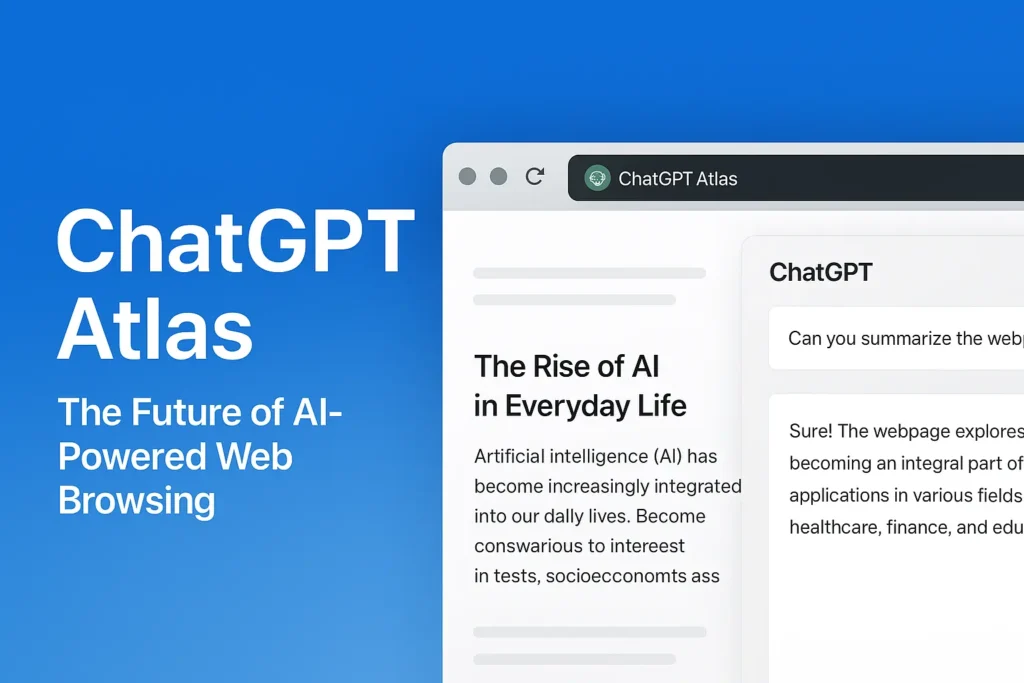
ChatGPT Atlas is OpenAI’s brand-new AI-powered web browser designed to make the internet smarter, faster, and more conversational. Instead of relying on add-ons or extensions, Atlas builds ChatGPT directly into the browser itself. This means users can browse, search, summarize, and even automate tasks without ever leaving a webpage.
Currently launched for macOS (with Windows, iOS, and Android versions on the way), ChatGPT Atlas represents a new category of browsing experience — where artificial intelligence becomes the core of how you interact with the web. Whether you’re researching, writing, shopping, or managing daily tasks, ChatGPT Atlas acts as your intelligent co-pilot on every webpage.
In simple terms, ChatGPT Atlas transforms your browser into an AI assistant that can understand context, recall past information, and perform actions on your behalf — making browsing not just interactive, but intelligent.
Key Features of ChatGPT Atlas
1. Smart Sidebar and Contextual Assistance
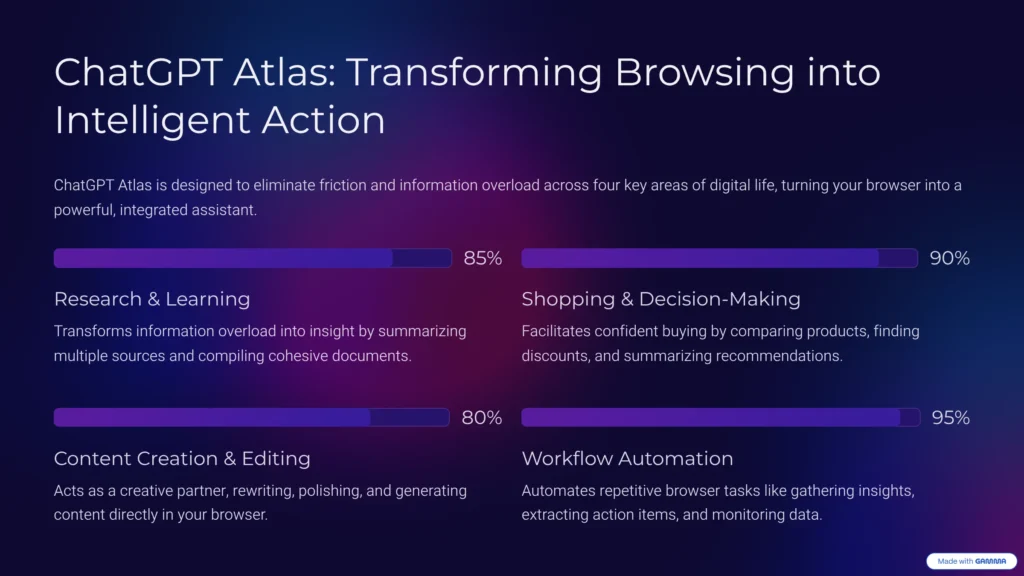
ChatGPT Atlas comes with a built-in sidebar powered by ChatGPT. Whenever you’re on a webpage, you can open the sidebar and ask questions about the content you’re viewing. It can summarize long articles, explain technical terms, rewrite text, compare information, or even generate new ideas based on the page’s content.
The sidebar also integrates directly with text fields. Whether you’re replying to emails, filling out forms, or drafting social media posts, you can ask ChatGPT to edit, proofread, or rephrase your text instantly — without switching tabs.
2. Browser Memories
One of the most revolutionary features of ChatGPT Atlas is “browser memories.” When enabled, the browser can remember important context from your browsing history — such as sites you’ve visited, topics you’ve researched, or preferences you’ve shared.
This allows you to ask the AI questions like, “Find the articles I read last week about electric cars” or “Summarize my recent research on startup funding.” You can view, delete, or manage these memories anytime, giving you full control over your data and privacy.
3. Agent Mode (AI Automation)
Agent Mode takes ChatGPT Atlas beyond traditional browsing. It allows ChatGPT to act on your behalf — safely and transparently. You can ask it to perform multi-step tasks like researching products, comparing services, or collecting information across websites.
For instance, you can say, “Find the best budget laptops under $1,000, compare features, and list pros and cons.” The AI will browse pages, collect data, and present results — all while keeping you in control.
Agent Mode is especially useful for productivity and business users, helping automate routine web tasks that would otherwise take hours.
4. AI-Enhanced Search Experience
ChatGPT Atlas redefines search. Instead of showing endless blue links, it provides smart, AI-generated overviews. The new tab page functions as both a search engine and a ChatGPT chat space. You can type a question like “best travel destinations in 2025,” and the browser instantly generates a summary of results, complete with sources, maps, and relevant data.
You can also continue the conversation naturally — for example, “show me destinations with visa-free access from India,” and the AI will refine your search without reloading the page.
5. Privacy and User Control
Privacy is at the core of ChatGPT Atlas. The browser lets you control what the AI can see, whether it can use your browsing context, and if memories are stored. You can also browse in incognito mode, where ChatGPT is fully logged out, ensuring your data isn’t linked to your account.
Importantly, browsing content is not used to train OpenAI’s models unless you explicitly opt-in. This gives users peace of mind when using AI assistance on sensitive websites.
6. Familiar Yet Smarter Interface
Despite being AI-centric, ChatGPT Atlas retains the familiar feel of modern browsers — with tabs, bookmarks, history, and import tools. You can import data from Chrome, Safari, or Edge and set Atlas as your default browser. The learning curve is minimal, but the productivity boost is huge.
How to Use ChatGPT Atlas
Getting started with ChatGPT Atlas is simple:

- Download and Install – Currently available for macOS (Apple Silicon). Install and launch the browser.
- Import Data – Bring your bookmarks, history, and passwords from your current browser.
- Start Browsing – Open any webpage. Use the sidebar to ask questions, summarize articles, or get quick insights.
- Enable Browser Memory – If you want personalized recall, turn on memory so the AI can help you pick up where you left off.
- Use Agent Mode (Optional) – If you have a Plus or Pro plan, try automating tasks like research, comparisons, or planning.
- Adjust Privacy Settings – Control site permissions, incognito browsing, and what data ChatGPT can access.
Tips for best use:
- Use the sidebar for instant summaries or explanations.
- Ask follow-up questions conversationally — ChatGPT will remember your context.
- For sensitive work, toggle off memories or use incognito mode.
- Try combining Agent Mode and memories for deep research tasks.
Benefits of ChatGPT Atlas for Businesses
Although Atlas is designed for everyone, businesses can benefit greatly from its AI-driven capabilities:
1. Enhanced Productivity
Teams can use ChatGPT Atlas to summarize lengthy reports, analyze competitors, or collect market insights faster. The AI can automate repetitive browsing tasks, freeing up valuable time for strategic work.
2. Improved Decision-Making
By recalling past research and interactions, Atlas helps teams maintain context across projects. Decision-makers can get concise summaries of complex web data and make informed choices quickly.
3. Streamlined Collaboration
New employees or teams can use the browser’s contextual AI support to onboard faster. ChatGPT can explain internal pages, summarize documents, and even help draft communication templates.
4. Competitive Edge
Businesses using AI-native browsers gain efficiency advantages over those relying on separate AI extensions or manual processes. Atlas offers a unified environment for search, writing, research, and automation.
5. Strong Privacy for Enterprises
Enterprise users can control data sharing, restrict memory use, and ensure compliance. Since browsing data isn’t automatically used for training, companies can safely use Atlas in professional settings.
ChatGPT Atlas vs Other AI Browsers
To understand where ChatGPT Atlas stands, here’s a comparison with some popular AI browsers:
| Feature | ChatGPT Atlas | Perplexity Browser | Arc Max (The Browser Company) | Google Chrome AI |
|---|---|---|---|---|
| AI Integration | Built directly into the browser | Integrated search assistant | AI add-on to existing browser | Limited to writing & search |
| Context Awareness | Full page and memory recall | Page-level summaries | Limited AI recall | Session-based |
| Automation (Agent Mode) | Yes | No | No | No |
| Privacy Controls | Extensive (opt-in training, incognito, memory control) | Moderate | Moderate | Limited |
| Platform Availability | macOS (Windows, iOS, Android soon) | Web + iOS | macOS, Windows | Cross-platform |
| Business Features | Team memory, automation tools | Basic search & Q&A | Focused on creativity | Enterprise integrations |
| Ease of Use | Intuitive and familiar | Simple interface | Minimalist UI | Familiar Chrome design |
Why ChatGPT Atlas Stands Out
- It’s the only AI browser with agentic automation built in.
- Offers deeper personalization through browser memory.
- Gives full user control over privacy and data usage.
- Provides a complete ecosystem combining browsing, research, and AI conversation.
While Perplexity comet excels at factual search and Arc Max offers creative tools, ChatGPT Atlas blends both worlds — productivity and intelligence — in one sleek package.
Final Thoughts
ChatGPT Atlas is not just another AI tool; it’s a re-invention of web browsing. It merges the world’s most advanced conversational AI with the everyday experience of using the internet. Whether you’re a student, professional, or business owner, Atlas enhances how you search, learn, and work online.
From contextual summaries and automation to privacy-first memory and agentic browsing, ChatGPT Atlas redefines the relationship between humans and the web. As it expands to more platforms, it’s poised to become the new standard for intelligent, interactive browsing.