|
Getting your Trinity Audio player ready...
|
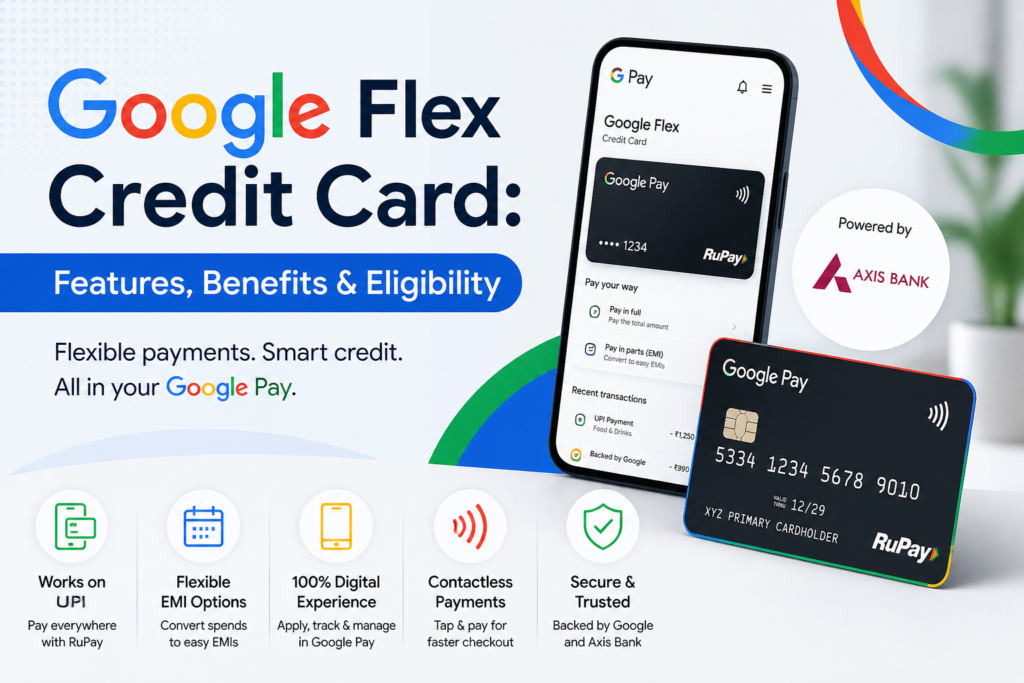
The credit card market in India is changing fast, and now even tech companies are entering this space. One of the newest options is the Google Flex Credit Card, launched in partnership with Google Pay and Axis Bank.
This card is not just another credit card. It is designed for people who want flexibility, easy payments, and full control from their mobile. If you already use Google Pay, this card can feel like a natural upgrade.
Let’s break it down in a simple way so you clearly understand whether it is worth it or not.
What is Google Flex Credit Card?
Google Flex Credit Card is a digital-first RuPay credit card that works directly inside the Google Pay app.
The biggest difference is this:
👉 You don’t have to pay the full bill at once
👉 You can convert purchases into flexible EMIs instantly
It is built mainly for:
- Young professionals
- First-time credit card users
- People who prefer mobile-based banking
Key Features of Google Flex Credit Card
1. Pay in Full or Pay in Parts
You get two options:
- Pay full bill (like a normal credit card)
- Convert spending into EMI anytime
This is useful when you have sudden big expenses.
2. Works on UPI (RuPay Advantage)
Since it is a RuPay credit card, you can:
- Use it for UPI payments
- Pay at small shops, vendors, and local stores
This is a game-changer because traditional credit cards don’t support UPI easily.
3. Fully Managed in Google Pay App
No need to install extra apps.
You can:
- Track spending
- Convert EMI
- Pay bills
- Check statements
Everything is inside Google Pay.
4. Instant Digital Card
You don’t need to wait for a physical card.
Once approved:
- You get a digital card instantly
- Start using it right away
5. Contactless Payments
Tap and pay feature is available for quick payments at stores.
Benefits of Google Flex Credit Card
1. Easy for Beginners
If you are new to credit cards, this is one of the easiest options.
- Simple interface
- No complicated rewards system
- Clear payment options
2. Better Cash Flow Management
You can split payments when needed. This helps manage monthly budget better.
3. UPI + Credit Card Combo
You can now:
- Pay chaiwala
- Pay grocery shops
- Pay small vendors
All using credit.
4. Seamless Experience
Since many Indians already use Google Pay daily, there is no learning curve.
Eligibility Criteria
To apply, you generally need:
- Age: 18+ years
- Indian resident
- Active Google Pay account
- Decent credit score (700+ recommended)
- Stable income
If your credit score is around 740+, your approval chances are quite strong.
Documents Required
Basic documents include:
- PAN Card
- Aadhaar Card
- Mobile number linked to Aadhaar
- Income proof (in some cases)
Fees & Charges (Important Reality Check)
Here’s the honest part — no card is completely free.
You may face:
- Interest on EMI conversions
- Late payment charges
- Processing fee for EMI
👉 Tip: Always read terms carefully inside the app.
How to Apply for Google Flex Credit Card
Steps are simple:
- Open Google Pay
- Check “Money” or “Cards” section
- Look for Flex Credit Card option
- Complete KYC
- Get approval
If you don’t see the option yet, it means:
👉 It is still rolling out and not available to everyone
Pros and Cons
Pros
- UPI + Credit card combo
- Easy EMI flexibility
- Beginner-friendly
- Instant digital access
Cons
- Limited rewards compared to premium cards
- Not available to everyone yet
- Interest can be high if misused
Final Verdict – Should You Get It?
If you are:
- A beginner
- A Google Pay user
- Someone who wants flexible payments
👉 Then this card makes sense.
But if you want:
- Premium rewards
- Travel benefits
- Cashback heavy cards
👉 Then you might find better options.